
Getting your form link
Once your form is published, it lives at a single, shareable URL. This guide covers where that link comes from, how to find it again later, and a few practical ways to share it.
Where your link comes from
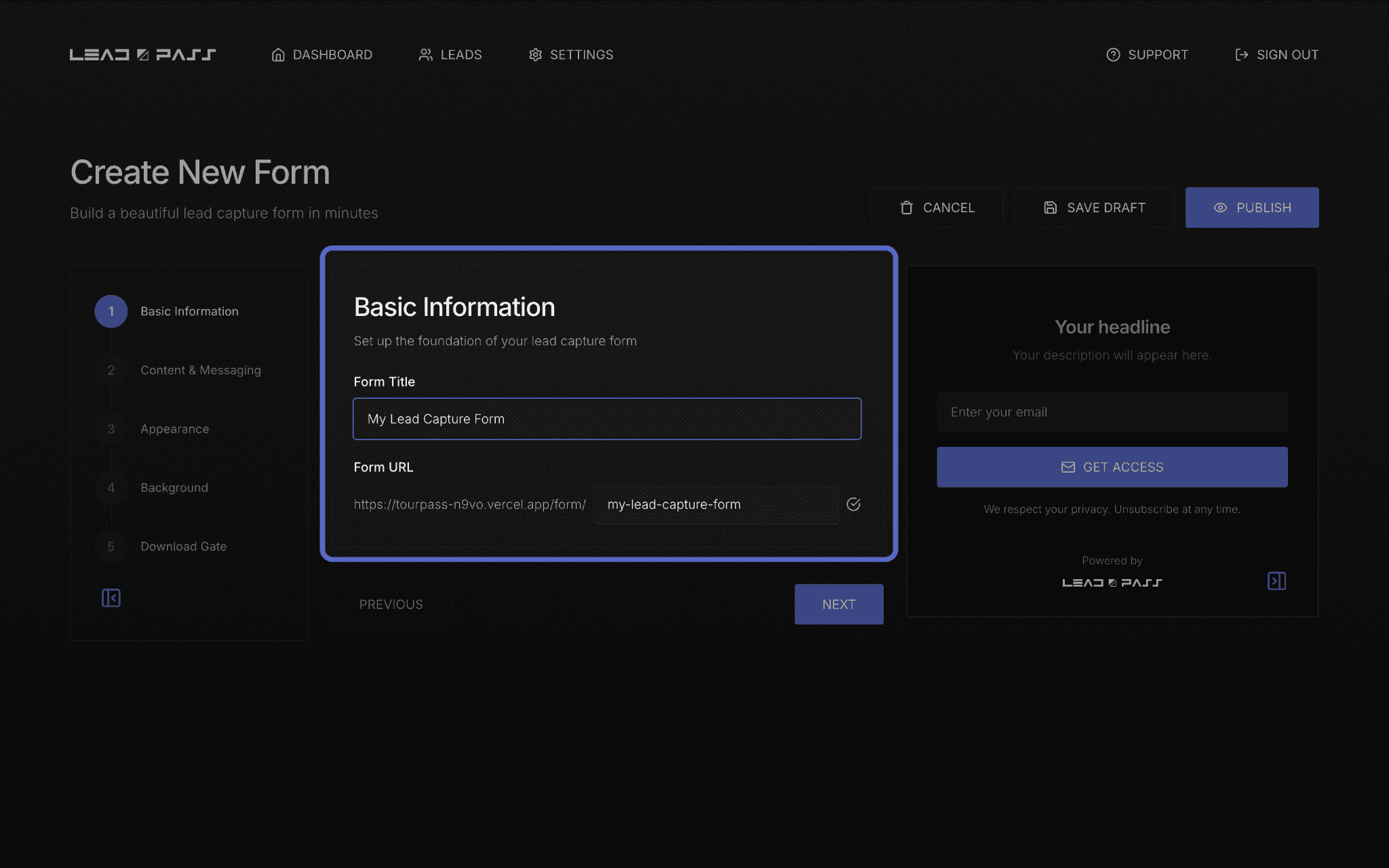
Your form's URL is set back in Step 1 (Basic Information) of the form builder, in the Form URL field. It follows this pattern:
https://leadpass.to/your-form-name
Whatever you type into that field becomes the last part of your link. You can also directly customize the URL slug if you prefer. It's worth choosing something short and easy to say out loud — especially if you'll be mentioning it on video, in a podcast, or in person.
Finding your link after publishing
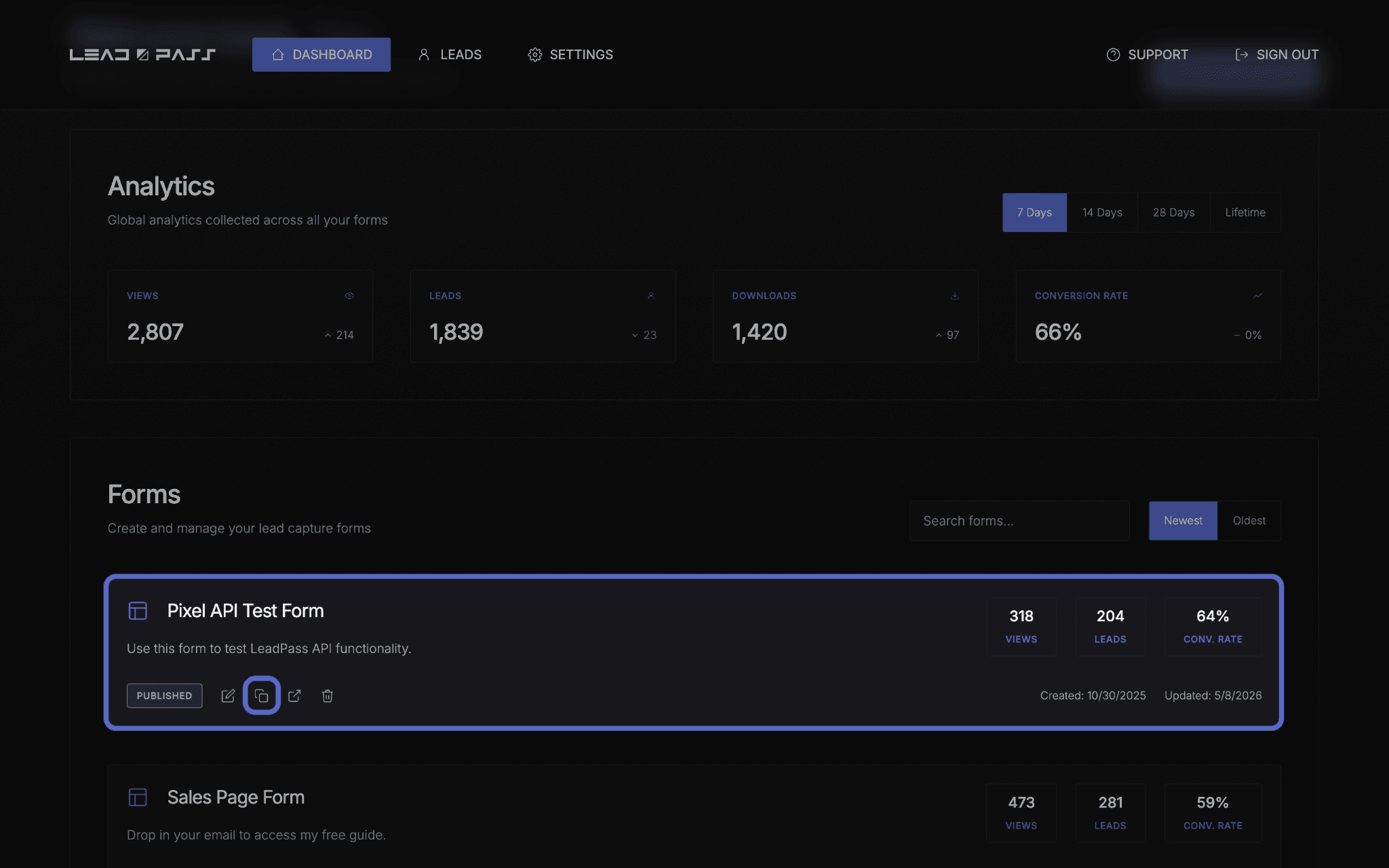
Once a form is live, you can always find its link inside the form editor, or you can simply copy it to your clipboard by hovering over the form card in your Dashboard and selecting the “copy” icon.
Sharing your link
A few common ways creators share their LeadPass forms:
Directly in a caption or bio link — paste the full URL wherever your audience already is (social bio, YouTube description, email signature).
In an email or newsletter — link the text rather than pasting the raw URL for a cleaner look.
On a landing page or website — link a button or piece of text to your form URL.
In an ad to collect Leads — use your form as the landing page in your Meta ads.
Whichever method you use, the link works the same way: anyone who clicks it lands directly on your published form, ready to submit.

A quick sanity check before sharing widely
Before you put your link in front of a real audience, test it yourself first:
Open the link in a new browser window (you can do this by hovering over the form card in your Dashboard and selecting the “open in new tab” icon)
Confirm the form loads, the copy reads the way you intended, and — if you have a Download Gate enabled — that submitting delivers the file correctly
This takes under a minute and catches the most common last-minute surprises.
What's next
With your link ready to share, head to Managing & exporting your Leads to see what happens once people start signing up.